What punchlists are, and who does the work
In construction, a punch walk is a site inspection to record defects and incomplete work before handover. A punchlist is the grouped list of those issues: who owns the fix, current status, and when it is signed off.
In Aconex Field, punchlists let teams manage a group of related issues and share them across organizations. Issues can be created directly in a punchlist or added from the main Issues list. Everything still lives in Issues; punchlists are the grouping layer for capture, triage, and close-out. Teams track progress through completion percentage on each list. That is the product model the Redwood web and mobile designs had to make obvious. See the live web documentation and mobile documentation.
The people in the workflow
Developer site managers and inspectors
The builder's own team runs punch walks, owns the master punchlist, and needs web tools for triage, bulk assign, status tracking, and close-out across trades.
Contractor site inspectors
Subcontractor inspectors walk their scope on site. Many capture defects in other apps, on paper, or on a phone camera and send photos later. Speed and low friction matter because the walk does not pause for typing.
Project administrators and coordinators
Back at the site office, administrators and coordinators (often assistants or junior staff on the site team) scan paper reports, encode defects in Aconex, and pull photos from email or shared drives. They need the web view to reflect what was captured on mobile in near real time.
Used by construction teams across 70+ countries, Aconex already had punchlist capability, but the experience was desktop-centric and the mobile app was little more than photo capture. Field teams worked around it. That was the signal.
"Nobody uses it on site. They do the walk, take photos on their phone, then come back to the office and enter everything manually."
Site supervisor · Multiplex · SydneyTwo capture paths, one system of record
On site, developer site inspectors and site managers need the mobile app to be easy to use, fast to capture and tag defects, and smart enough to pre-populate location from site beacons. Contractor inspectors face the same speed bar but often use other apps, paper, or a camera roll and send photos later. The existing Aconex mobile app was too slow and too bare (essentially photo capture only), so everyone defaulted to workarounds. Developer site managers needed punchlists to be obvious in Field, and coordinators needed web to stay in sync with whatever was captured on the walk.
Off site, project administrators sat at desktops reconciling the mess: scanning paper punch sheets, manually creating issues in Aconex, and hunting photos in shared cloud folders. Mobile and web were not one loop. What happened on the scaffold did not show up on the coordinator's screen until hours later.
Pain points we had to design for
Punchlists exist to fix fragmented handovers: delayed defects, poor visibility, and close-out risk. The industry pains below are what the product must solve. The site visit and concept testing added the emotional layer: how each role felt when paper, email, and workarounds still ran the job.
Fragmented handovers
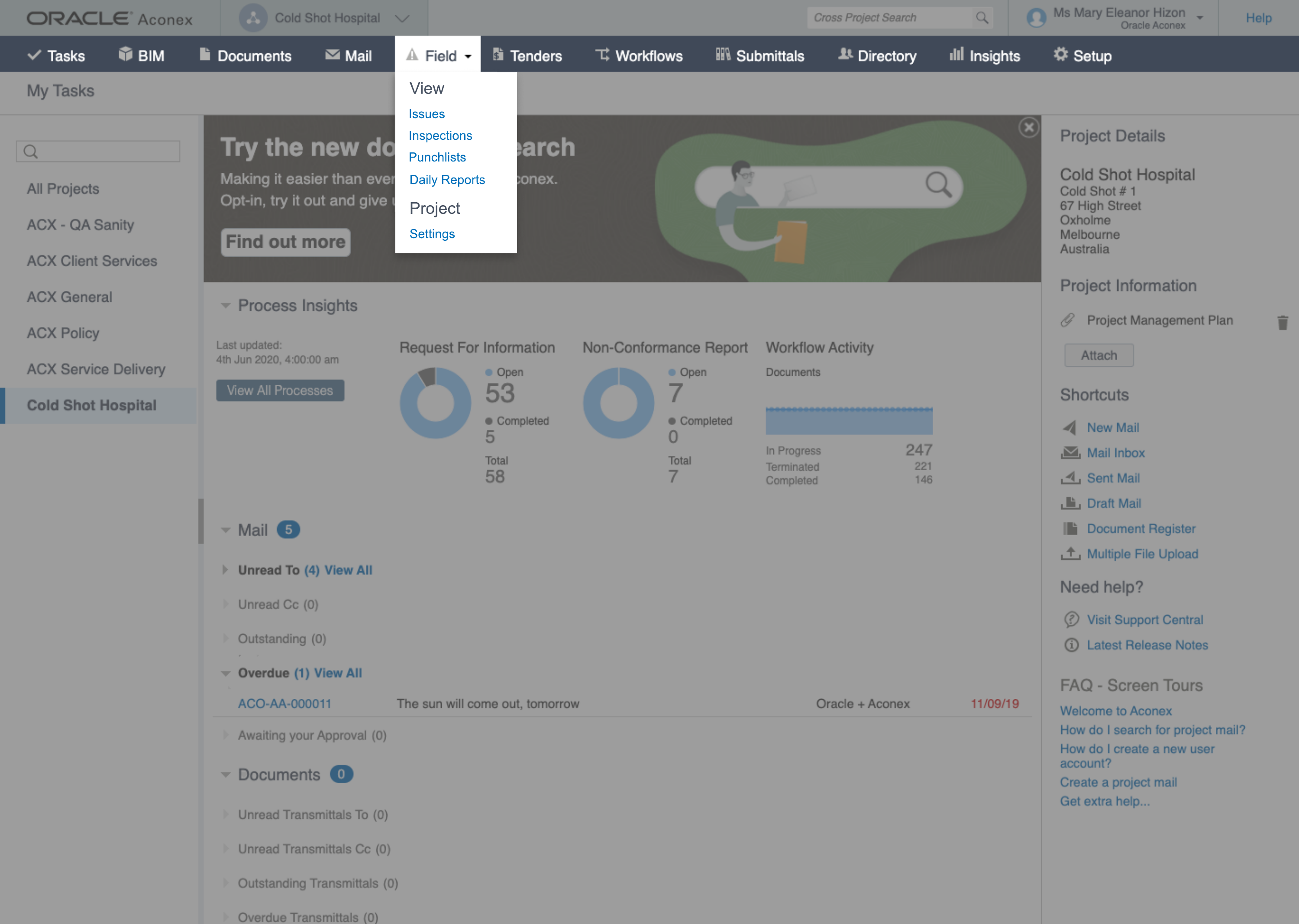
Industry pain: Endless paper trails and emails with no end-to-end view before sign-off. On site: "I do the job twice." Walk with a camera or paper, then rebuild the same list at the desk. Punchlists had to group issues in one place, but first teams had to find them: buried Field navigation meant many never started in the app at all.
Cross-party accountability
Industry pain: The blame game between builder, contractors, and trades when ownership is unclear. On site: "Everyone uses something different." Subcontractors captured in other apps or on paper; site managers needed shareable punchlists, firm assignees, due dates, and bulk assign across orgs so responsibility was visible, not argued about later.
Site tracking that keeps up with the walk
Industry pain: Teams roam active sites with unreliable signal; capture must work on the move and sync when back online. On site: "If I stop to type, the subcontractor walks on." The old app was slower than the camera roll. Mobile uplift had to match walk speed: camera-first capture, beacon-led location, photo attach, and web updated when connectivity returned.
Traceability and audit trail
Industry pain: Unrecorded work and missing documentation drive legal disputes and delayed payments. Every item needs a unique issue number and permanent event history. On site: "I don't know if we missed anything." Coordinators re-entering paper and photos carried real close-out anxiety on programmes with hundreds of defects.
Inefficient reporting
Industry pain: Project managers manually compiling Excel sheets or paper lists instead of pulling reports from the system. Design target: Completion percentage per punchlist, status summary bars, bulk export (PDF, Excel, CSV), and Redwood master-detail so coordinators could triage and report without a second spreadsheet pass.
When punchlists work, site management aligns with programme goals: fewer schedule delays, cost overruns, and dispute risks at close-out. Our job was to make that loop obvious on web and fast enough on mobile that teams would actually use it.
I went to the site
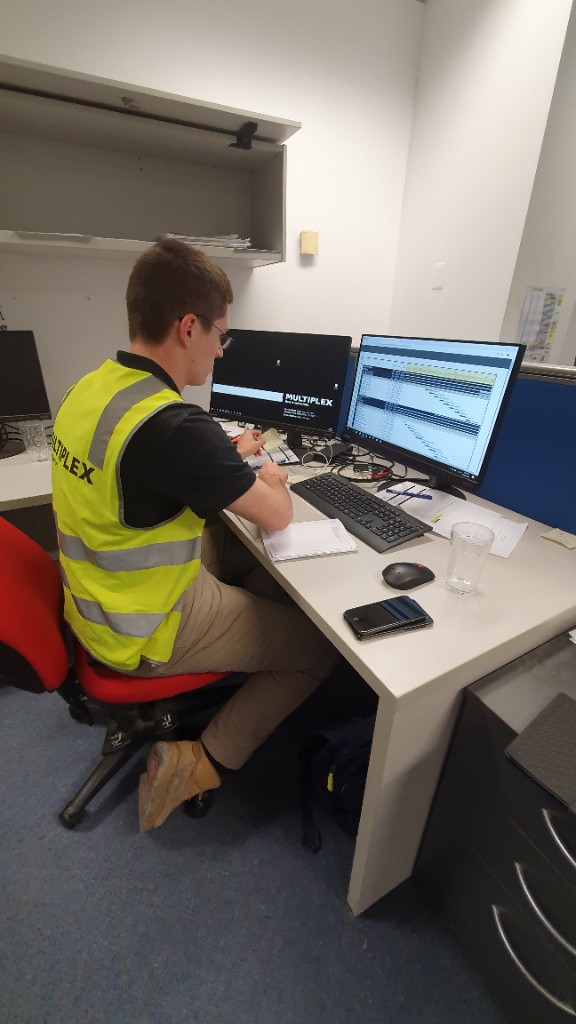
Rather than relying on stakeholder interviews alone, I arranged an ethnographic field visit to a Multiplex commercial construction site in Sydney. I shadowed a site supervisor through a full inspection round: scaffold access, floor walk, defect notation, and the office reconciliation at the end of the day.
Day-in-the-life shadowing
Followed the supervisor from site entry through scaffold transitions and floor inspection. Watched when they reached for paper, camera, phone, or radio instead of the app.
Stakeholder interviews
Spoke with project managers, site supervisors, and subcontractors about how punchlists fit into daily sign-off, trade coordination, and close-out.
Workflow mapping
Mapped the full loop from annotated drawings and phone photos to desktop entry, assignment, and inspection status changes.
Design principles
Translated field notes into mobile-first principles: camera before keyboard, location always visible, and status scannable at a glance.
February 2020: a day on site in Sydney
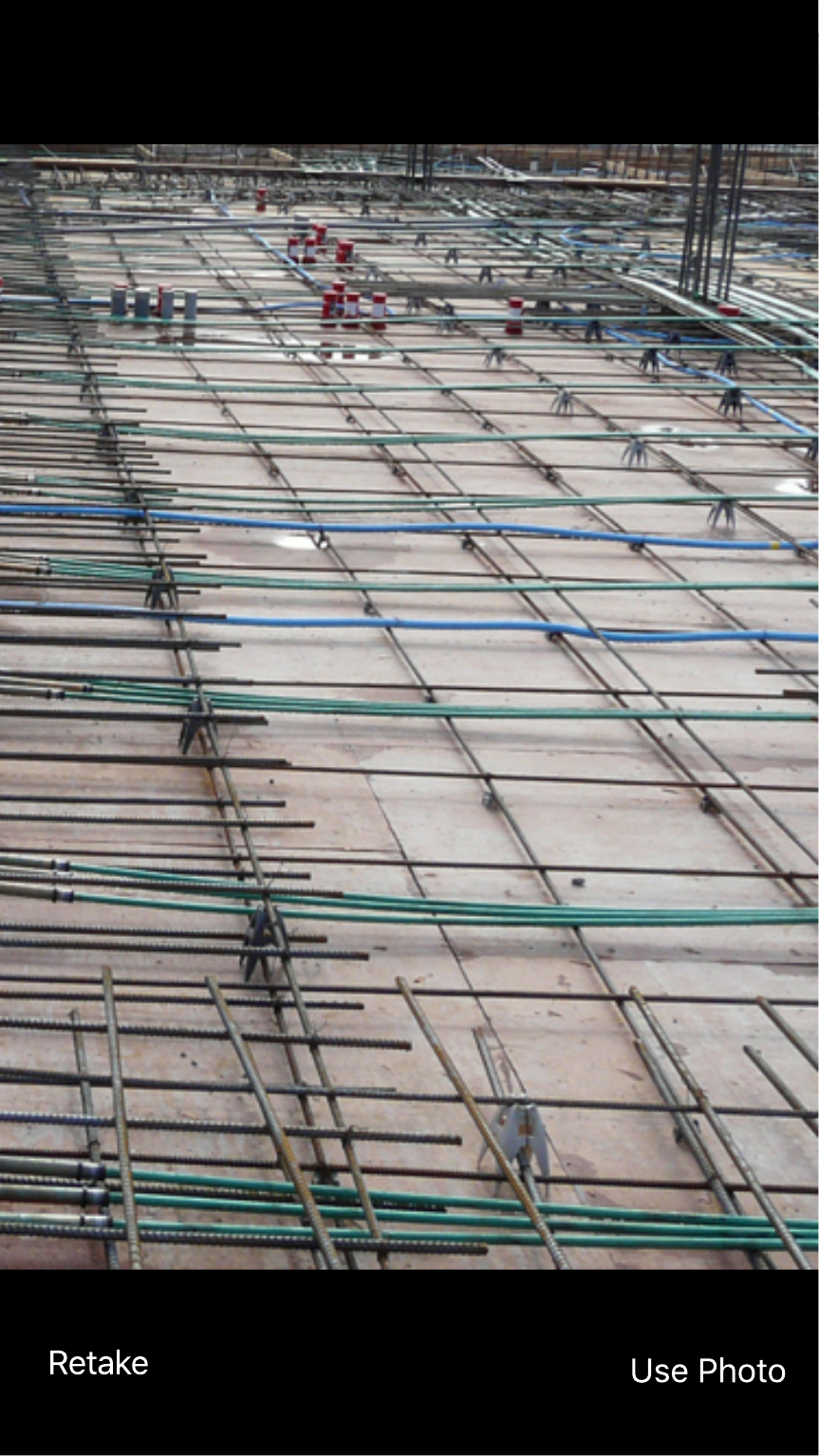
Before the Redwood screens, there was the walk. I shadowed Multiplex site managers through scaffold access, floor inspection, and desk reconciliation at the end of the day. A colleague filmed the round on a stabilised GoPro while managers checked defects on their phones mid-inspection. Trades kept working on the floor during daily walks. Supervisors pulled up drawings on the mobile app and pinned site photos to the plan. When the app was not fast enough, paper markup and the camera roll took over. The gallery below is that field context the UI had to earn.
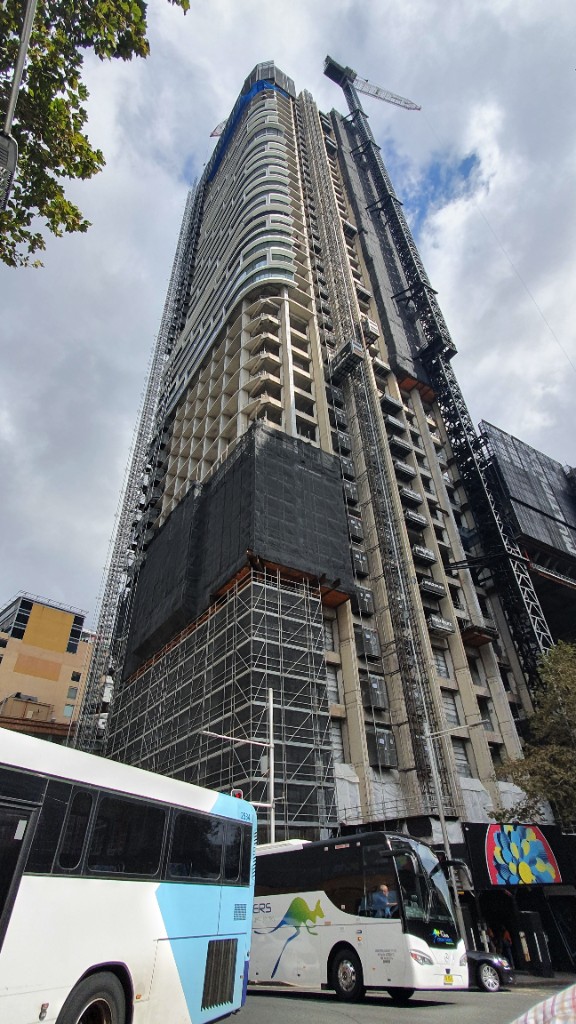
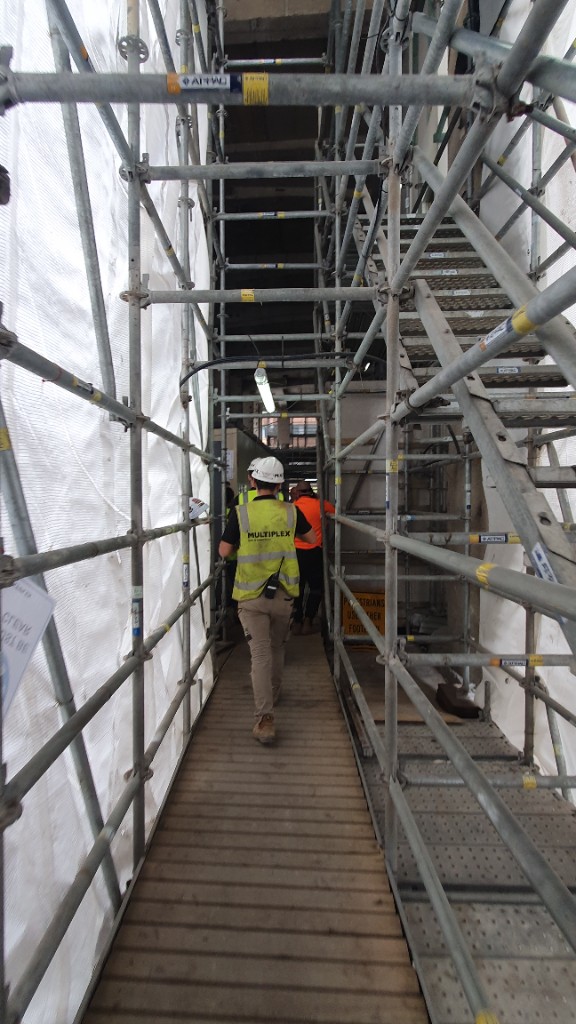
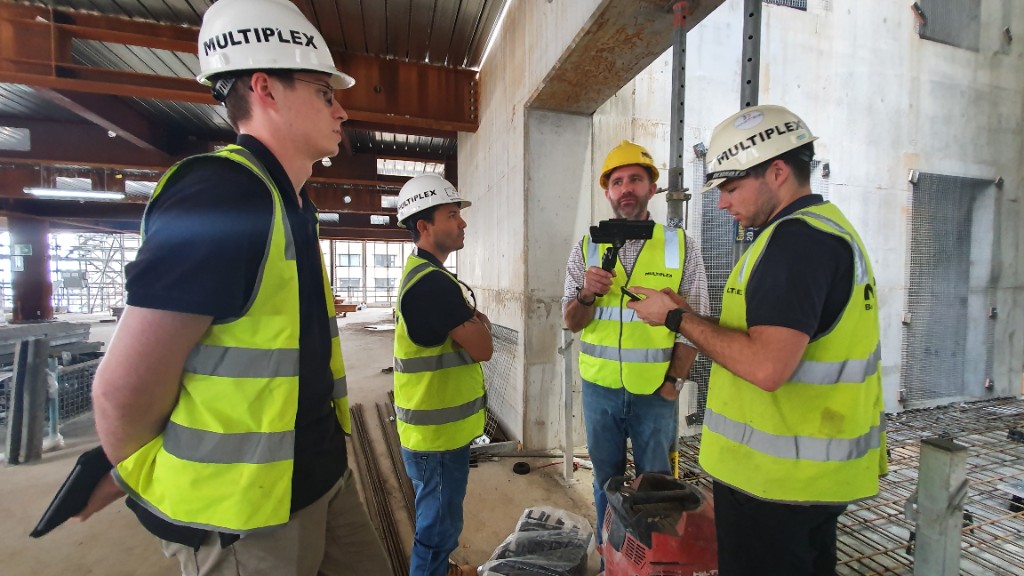
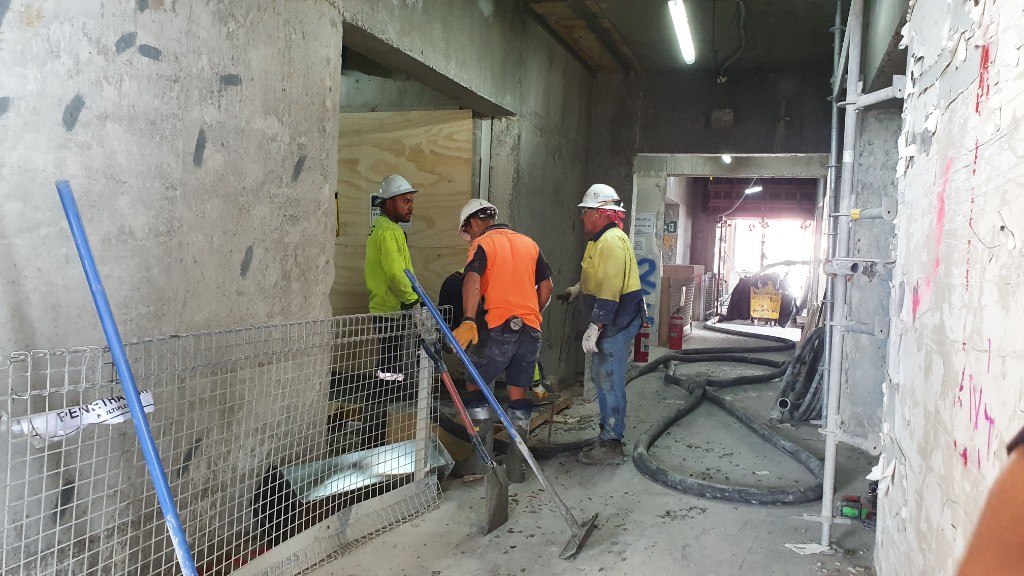
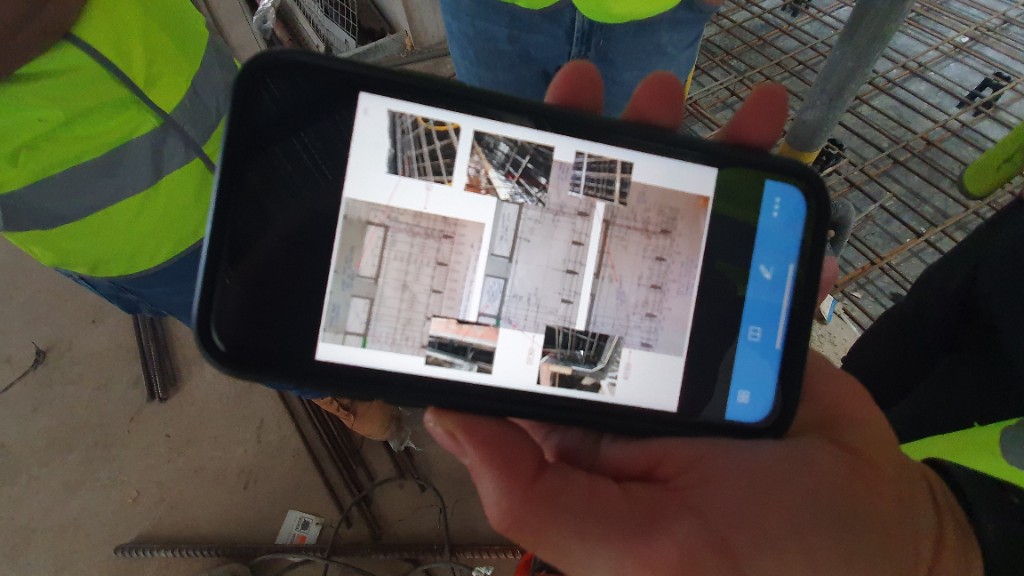
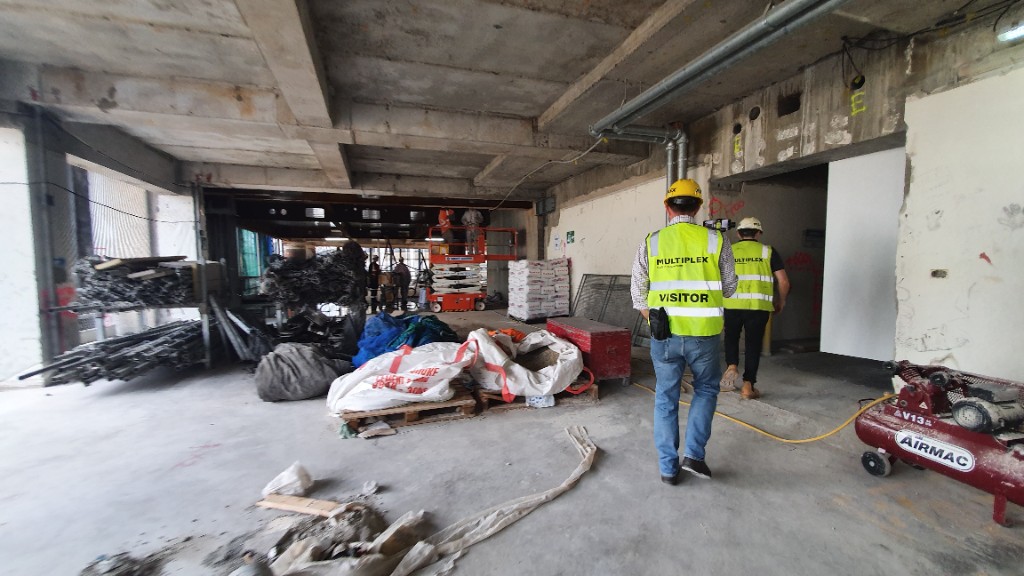
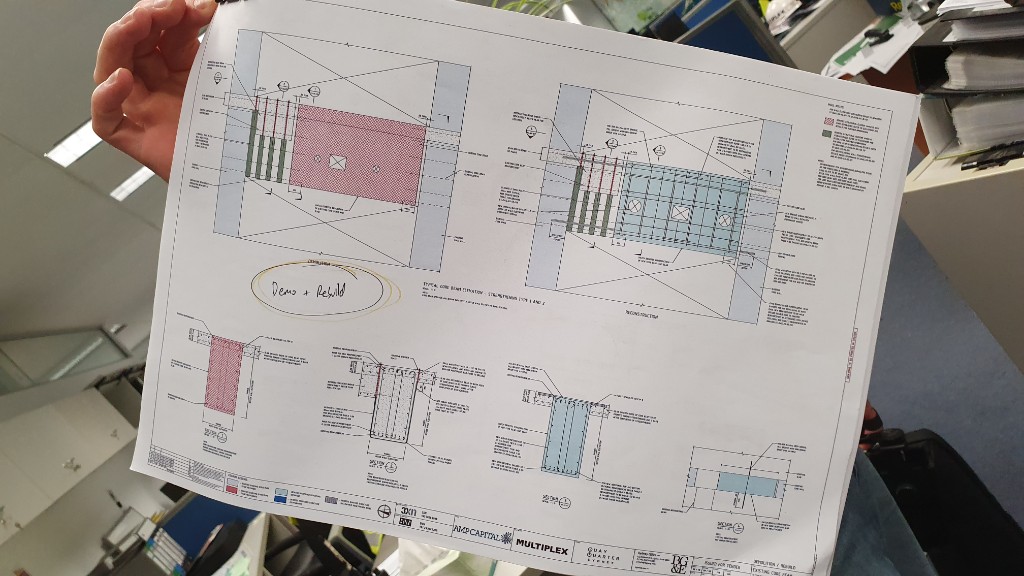
Ethnographic site visit, Multiplex commercial construction site, Sydney. Photos from the day-in-the-life shadowing that informed the punchlist redesign.
What the site taught us
Speed beats the camera roll. Contractor inspectors will not pause the walk for a slow form. Capture has to be as fast as taking a photo, with tagging and location filled in immediately after.
Beacons pre-populate location. Aconex sites deploy location beacons across floors and zones. The mobile app reads those signals to pre-fill where a defect was captured, so inspectors are not typing room numbers with gloves on.
Web must reflect mobile in real time. When a defect is logged on site, coordinators and site managers need it on the Redwood web view without a manual re-entry step hours later.
Three decisions that shaped the shipped UI
Research told us what hurt. These decisions show how that became interface craft on web (live today) and what we validated for mobile (concept-tested).
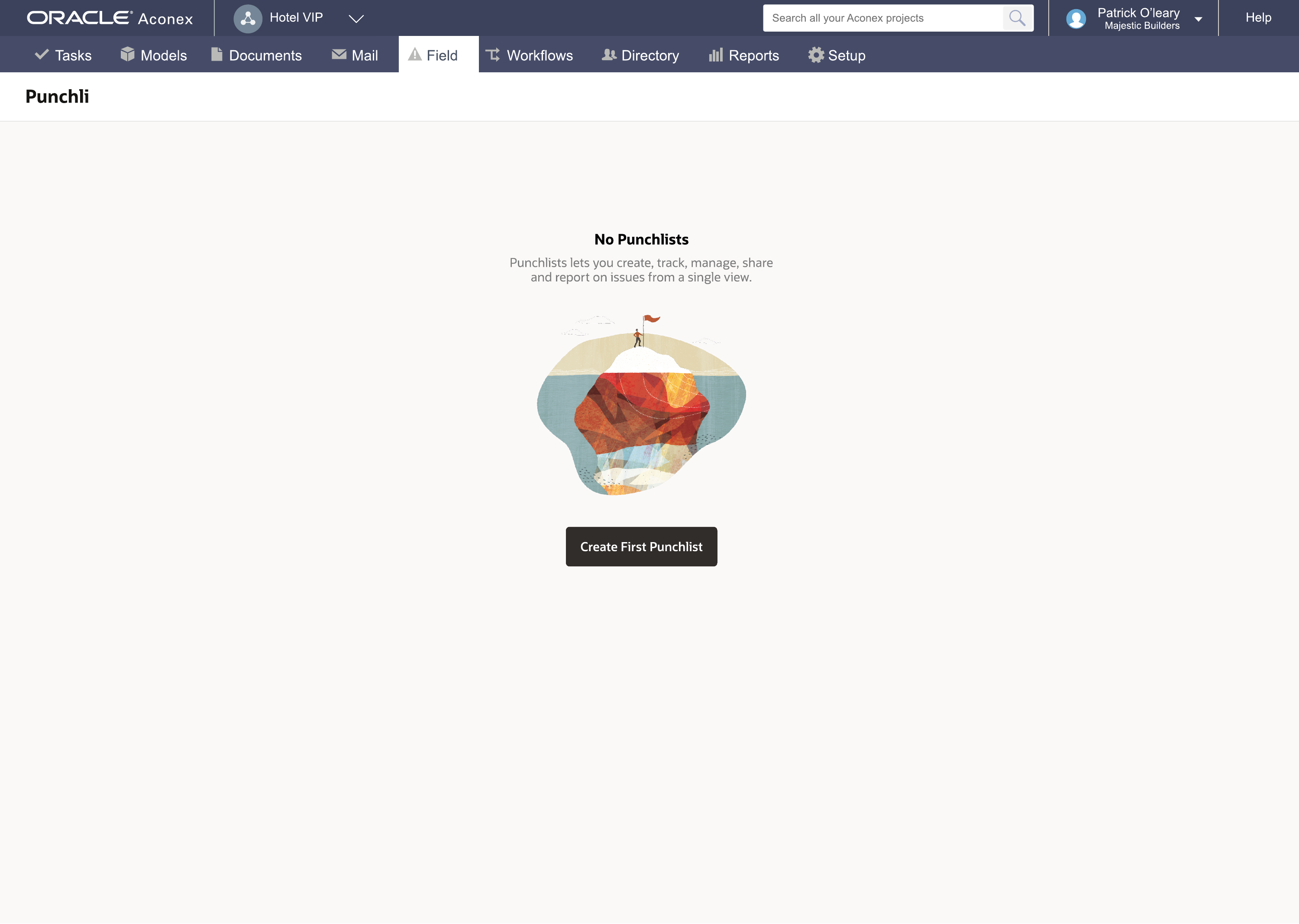
1. Punchlists had to surface in Field, not hide in a menu
Problem: Coordinators could not find punchlists during a live walk window. Nested Field navigation meant teams started in paper or email instead.
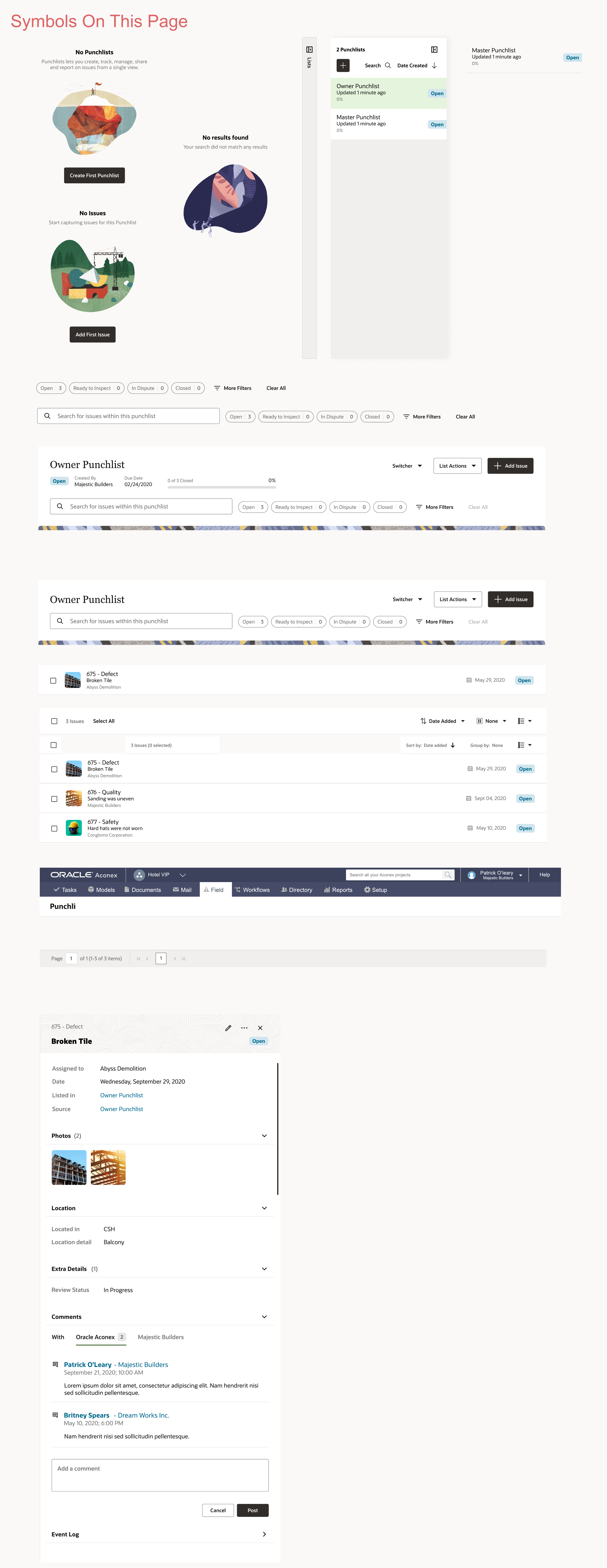
Decision: Elevate punchlists to a first-class Field module with a clear empty state and a single Create First Punchlist action. No hunting through dropdowns before capture starts.
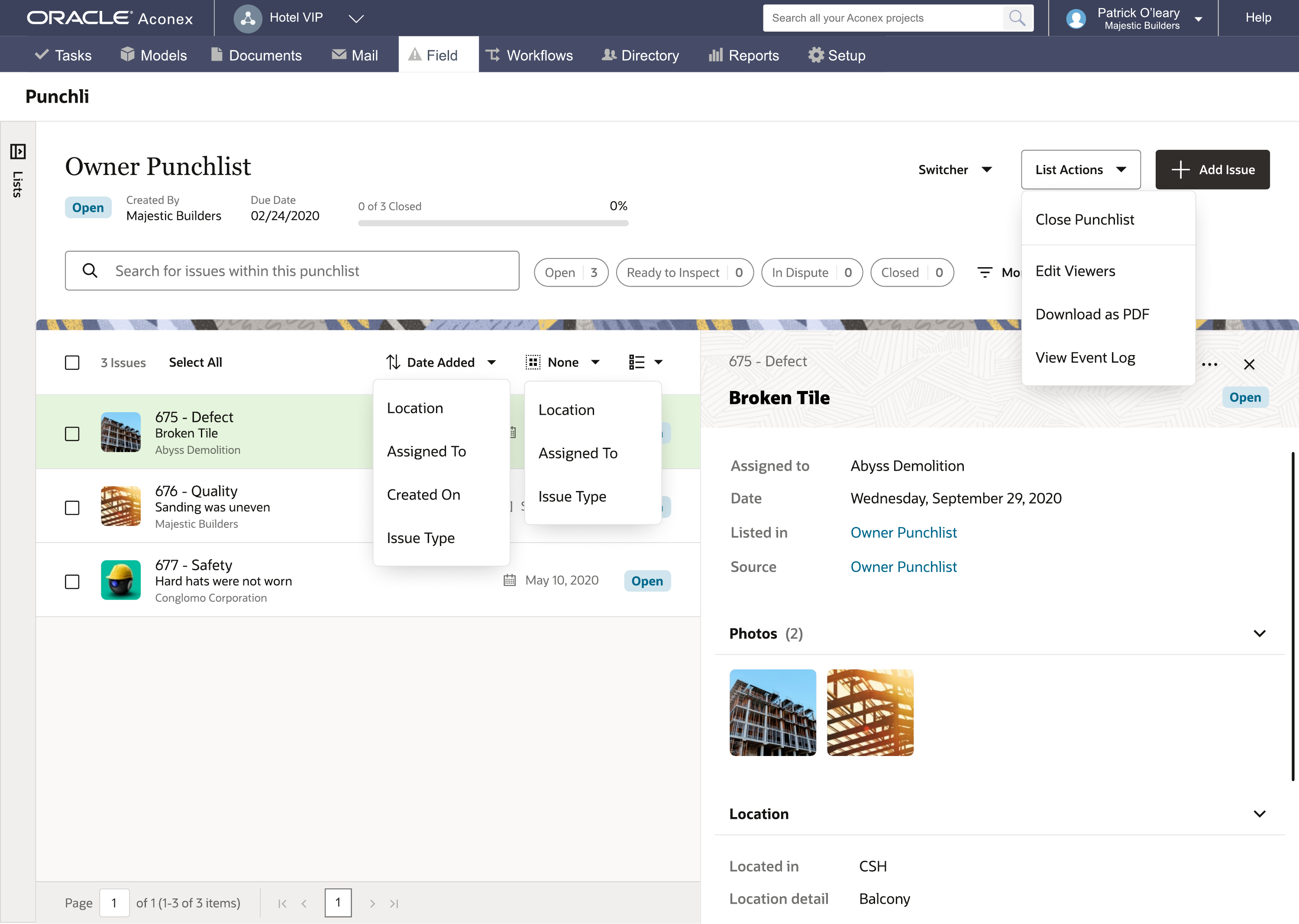
2. Master-detail beats modal-only triage at close-out scale
Problem: On programmes with dozens of open defects, opening each issue in a modal broke list context. Administrators lost track of what they had already assigned.
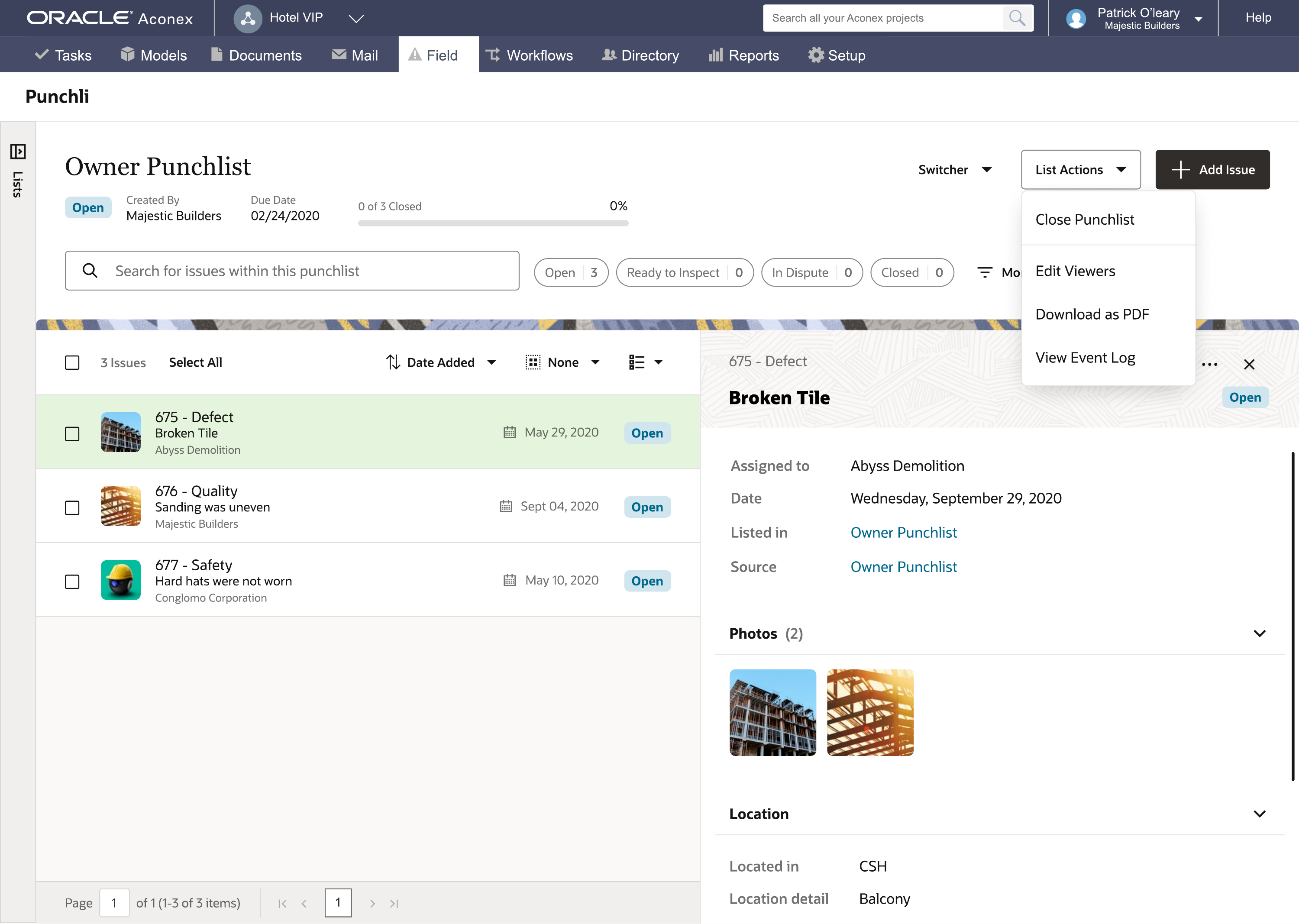
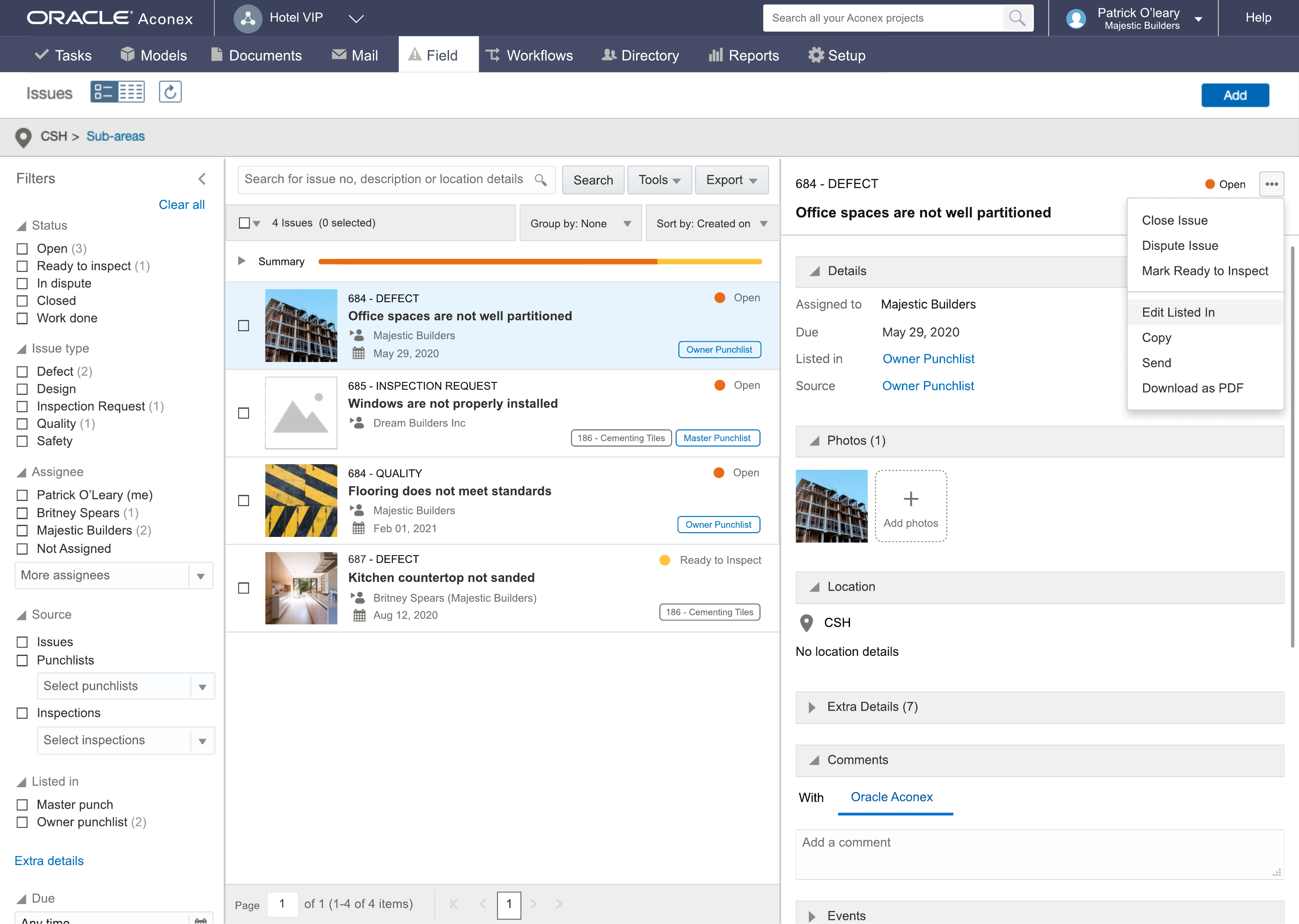
Decision: Persistent master-detail: filterable punchlist on the left, full issue detail (photos, location, comments) on the right. Filter chips and status colours stay visible while detail updates inline. Matches how coordinators scan a list, then drill in, then return to bulk actions.
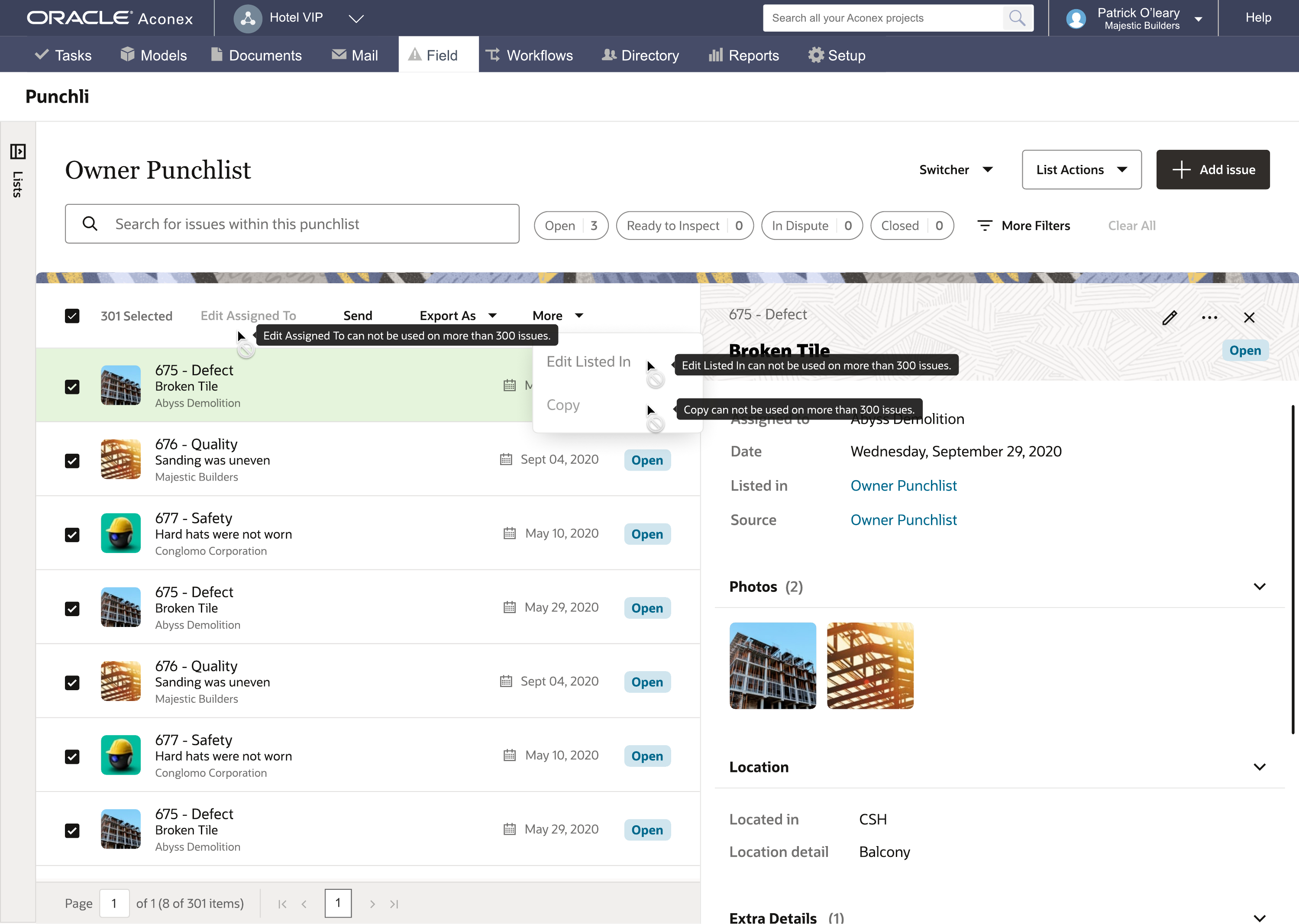
3. Bulk actions need constraints, not silent failure
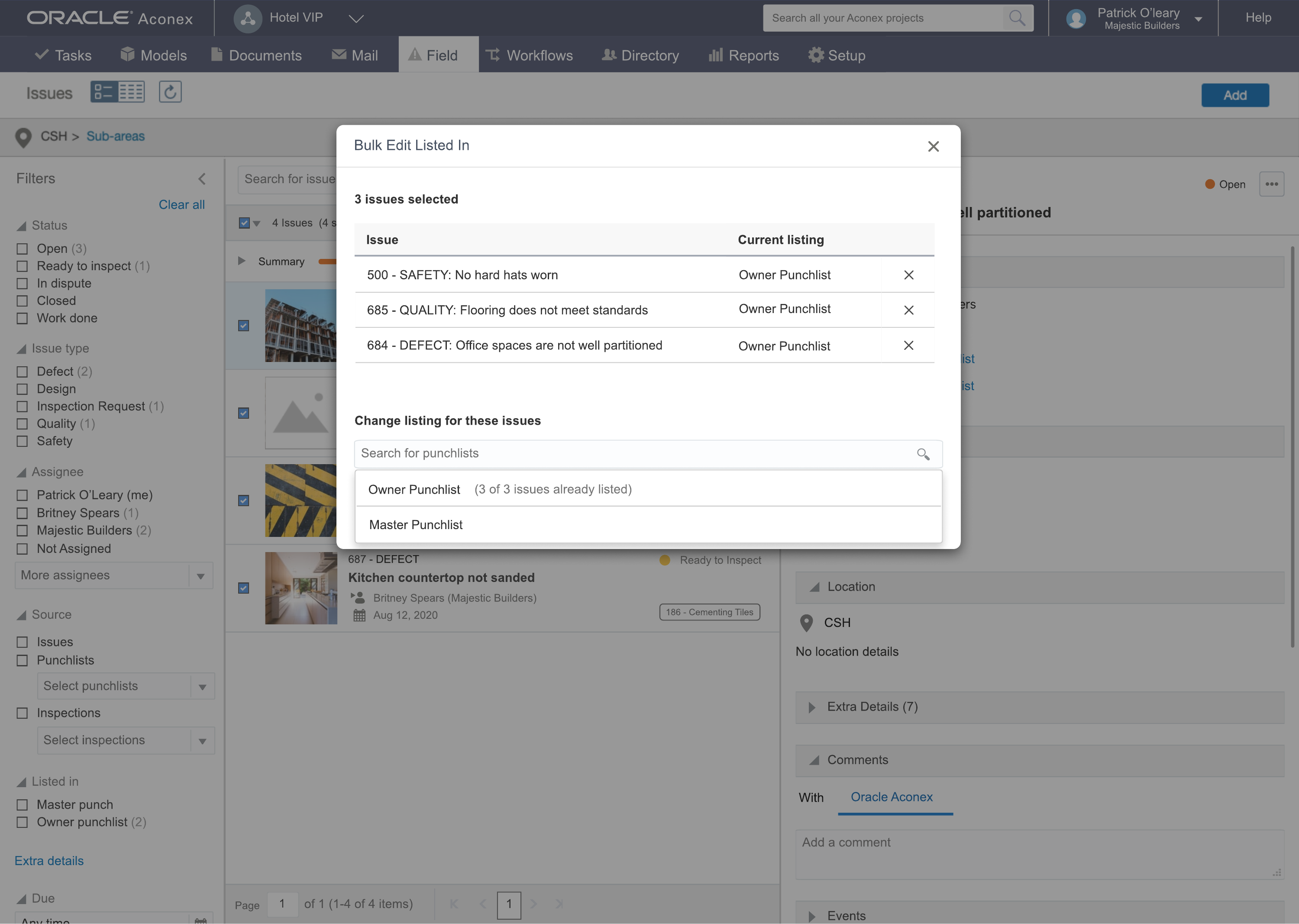
Problem: Enterprise programmes select hundreds of issues at once. Bulk assign fails when items span org permissions or punchlist rules, and coordinators need to know why before they retry.
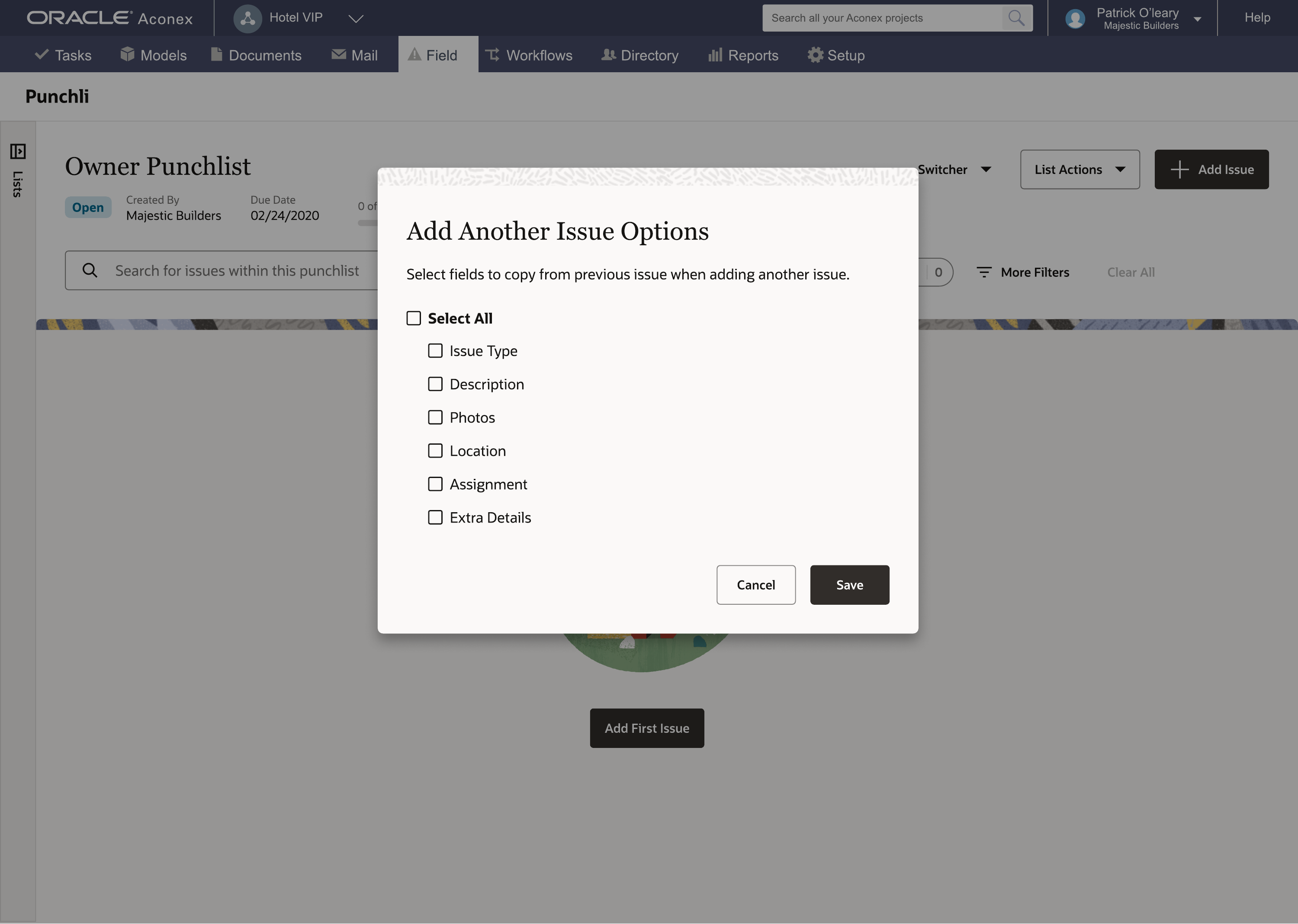
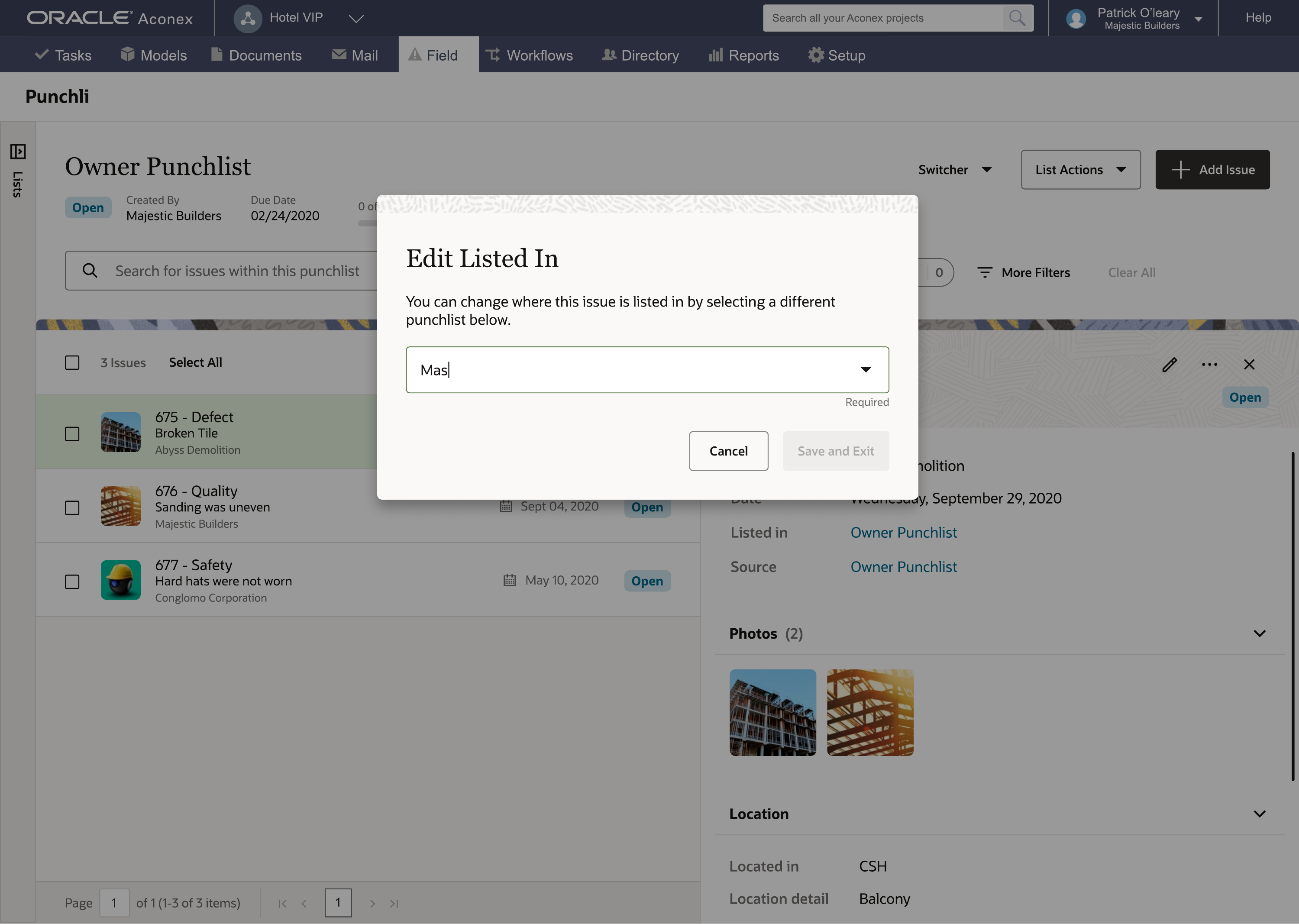
Decision: Surface constraint messaging in tooltips at selection time (e.g. 301 issues selected). Pair with Bulk Edit Listed In so coordinators can move groups between punchlists in one action without dropping list context.
Three milestones, one product strategy
Working with the product manager, we sequenced delivery around backend readiness. Milestone 1 was a Redwood web uplift: the punchlist backend already existed, so the work was redesign and UX craft on desktop. Milestones 2 and 3 were the mobile uplift: moving from a basic photo-capture app to the field dashboard, beacon-led location, and fast defect logging in my concept-testing designs. That required new mobile capability and backend work, so it followed web on the shared roadmap.
Milestone 1: Redwood web uplift
Desktop patterns for developer site managers and project administrators: master-detail punchlists, bulk actions, and issue triage that stays in sync with field capture. Built on Oracle Redwood with existing Aconex Field backend. Patterns reflected in the live web punchlists documentation.
Milestones 2 and 3: mobile uplift (concept prototypes)
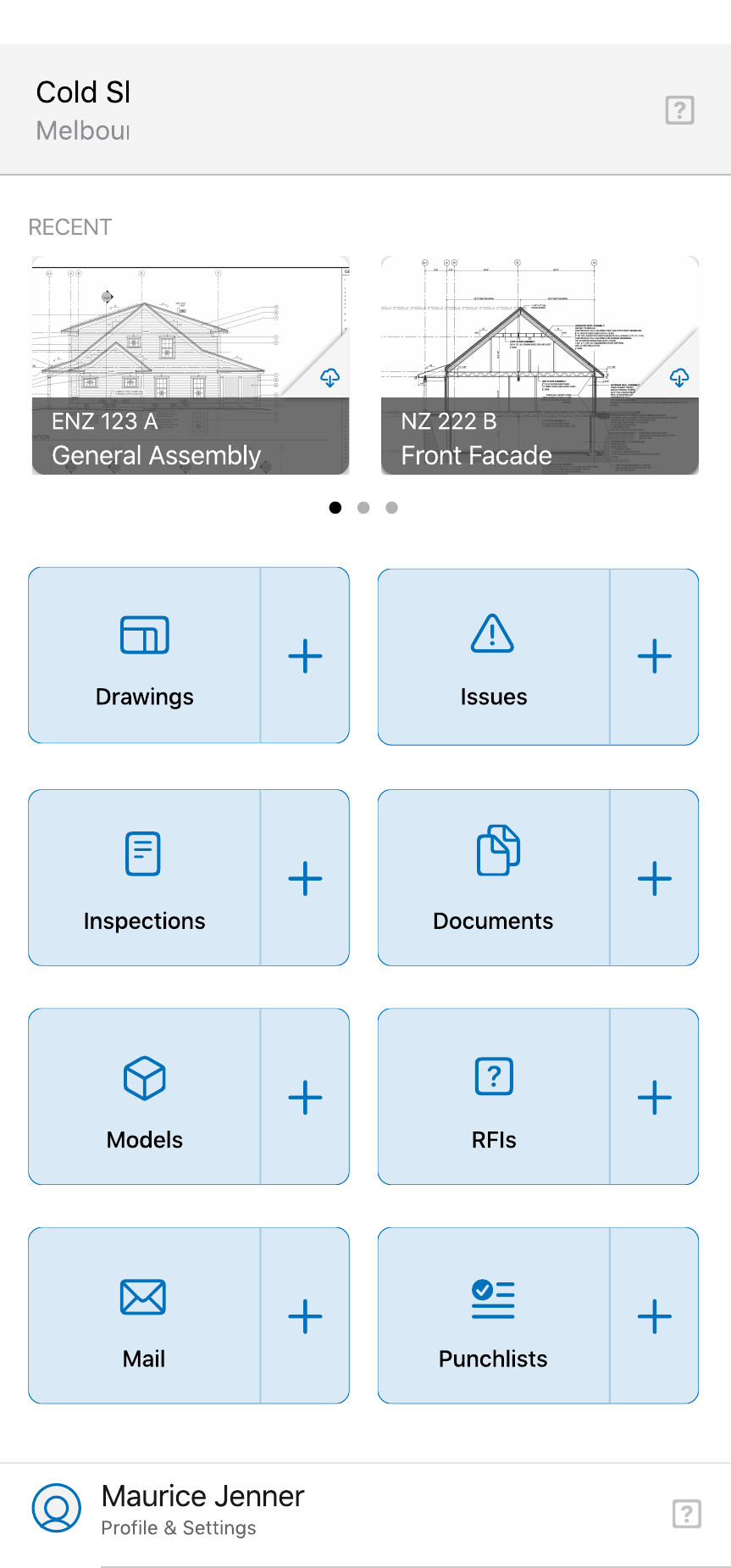
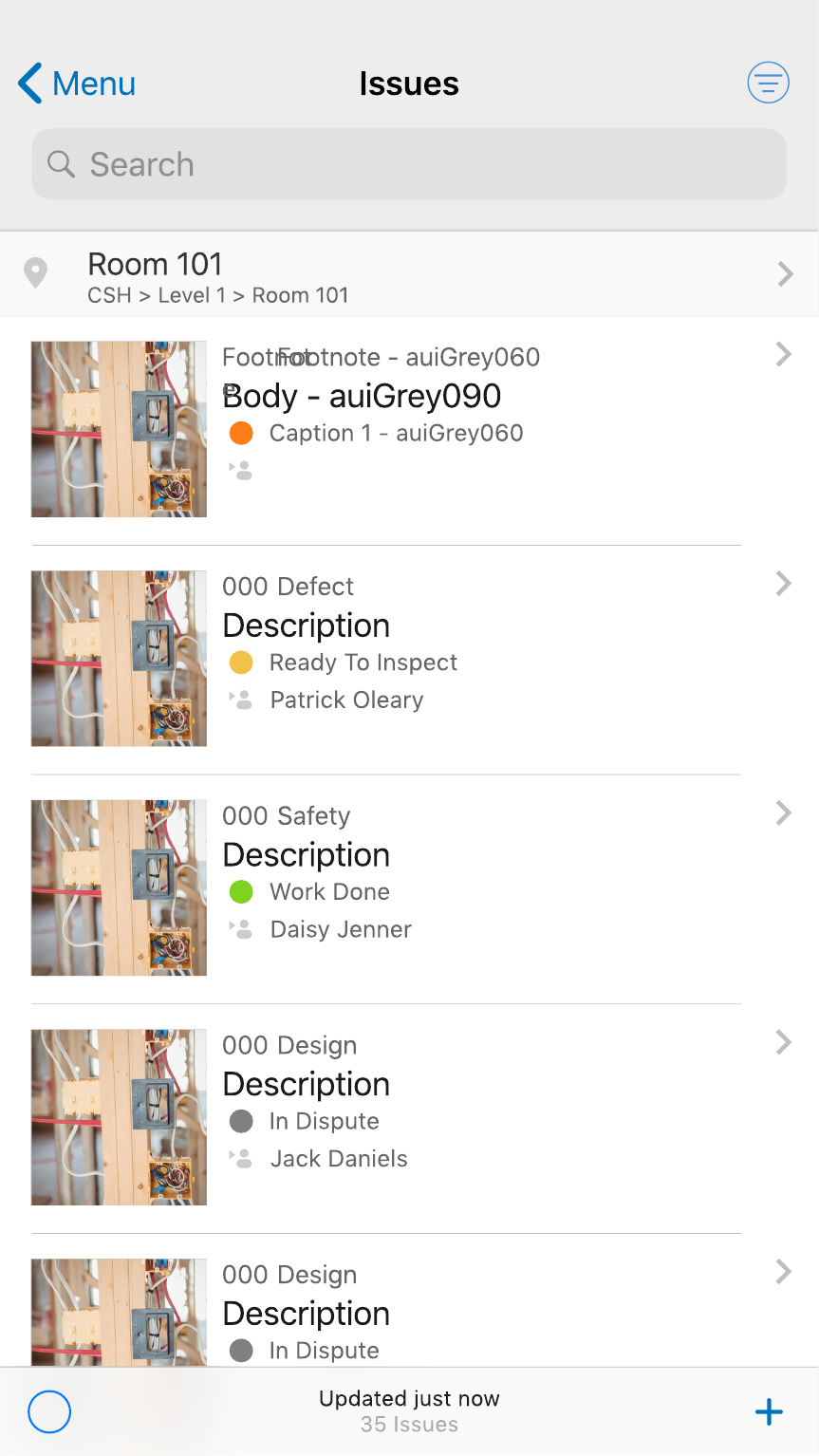
Not shipped in this release. These screens are from Initial Versions (Concept Testing) and Future State (Milestones 2 and 3): prototypes I concept-tested with inspector and GC admin participants across ANZ and US before mobile backend work. Artwork uses sample project data; ethnographic research was conducted in Sydney. Today's mobile punchlists help article documents the shipped mobile experience, which may differ from these concept frames.
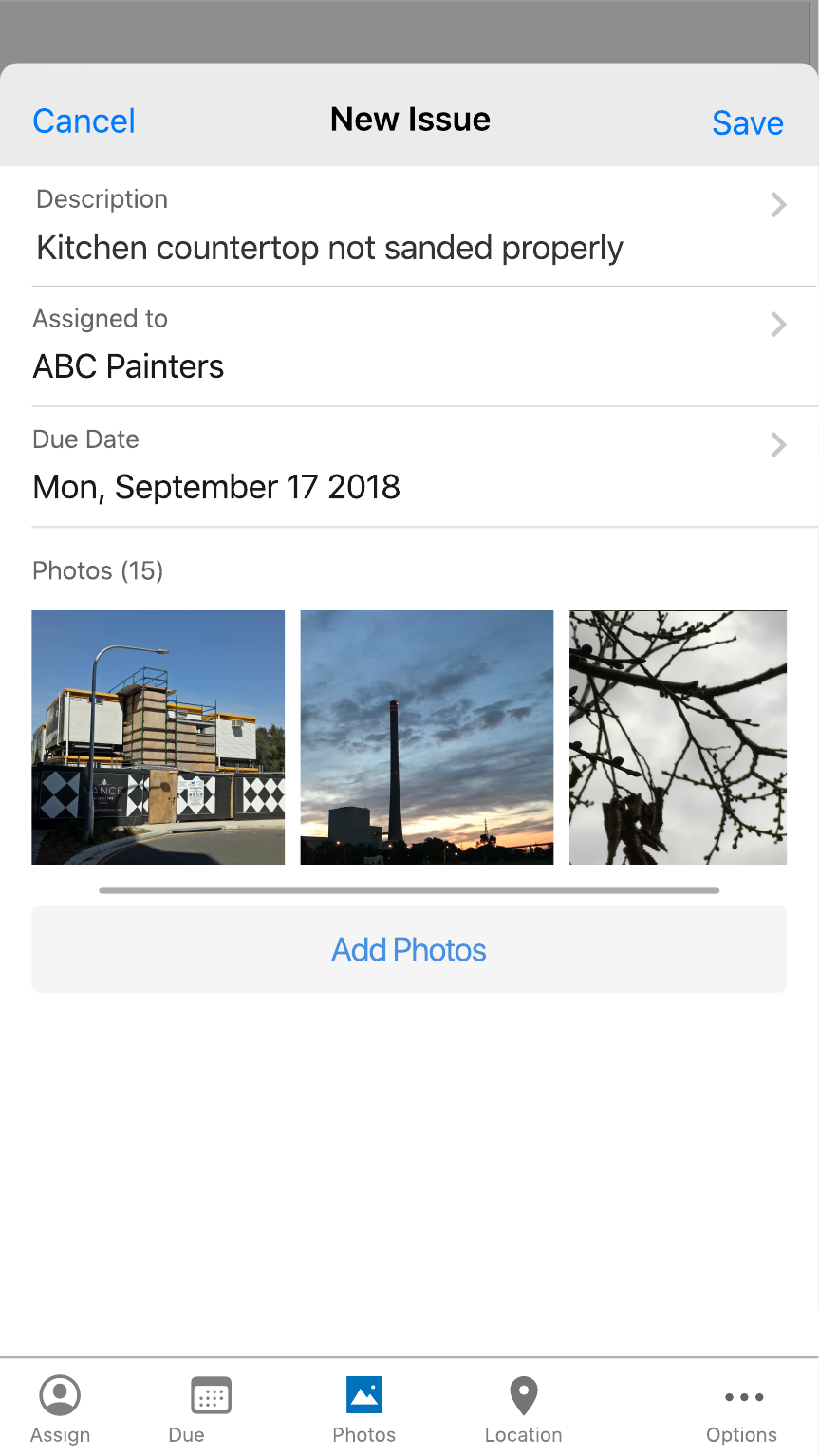
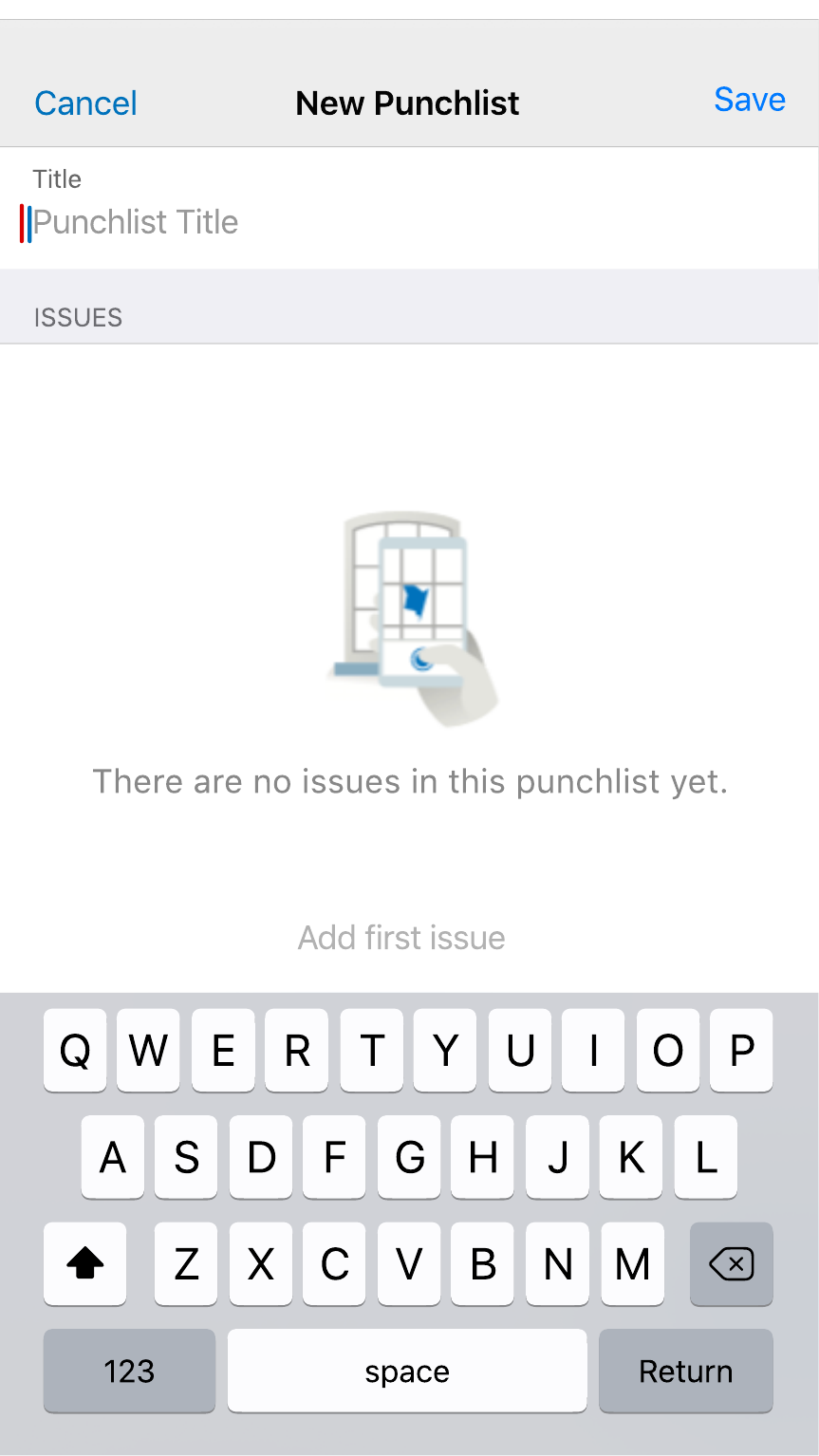
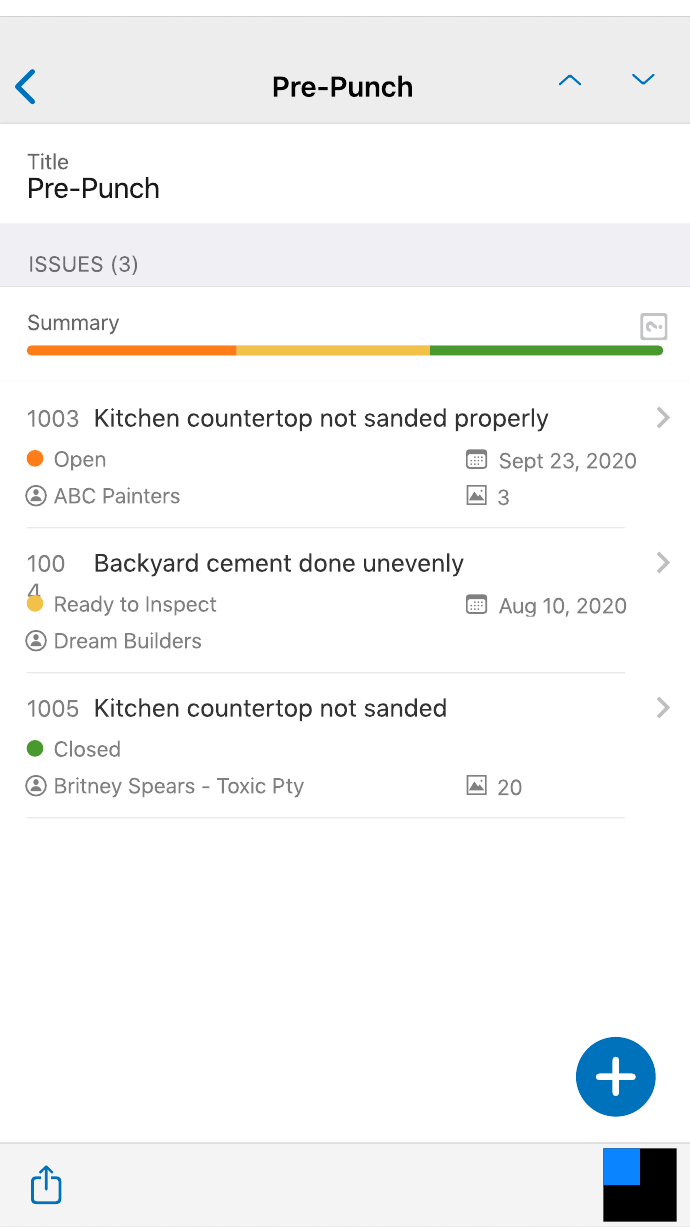
Web first because the backend was there and coordinators needed Redwood craft immediately. Mobile second because uplift from photo-only to beacon-led, fast capture needed new app capability. One loop: inspectors tag on site, administrators see it on web in real time.
Concept-tested the mobile uplift before build
The prototypes tested in research sessions were the Initial Versions (Concept Testing) mobile designs: field home, camera-first capture, beacon-led location, and fast defect tagging for developer site inspectors, contractor inspectors, and site managers on punch walks. Web Redwood screens from Milestone 1 were also walkthrough-ready. Development on web was already underway; concept testing validated the mobile uplift before committing Milestone 2 and 3 engineering.
What we wanted to learn
How customers run punchlists today, whether punchlist placement in Aconex Field was obvious enough, which features had to ship first, and whether teams would actually use the proposed mobile and web flows once live.
Who participated
Current Aconex users with active punchlist processes: inspector roles and general contractor admins from both ANZ and US project backgrounds, recruited to reflect different org sizes and punch-walk habits.
How sessions ran
60-minute remote Zoom sessions with a facilitator and note taker. Each combined a short interview on current punchlist practice with hands-on prototype walkthroughs for web and mobile.
Scenario-based prototype tests
Sessions were split by role. General contractors and inspectors each worked through two scenarios so we could test both punch-walk setup and cross-module issue management.
Punch-walk preparation
Create a punchlist, capture onsite issues, complete issue details, bulk assign to a trade, review status summary and completion rate, then share the punchlist with stakeholders ahead of the walk.
Issues to punchlist
Add an existing issue from the Issues module into the punchlist created in the first scenario, then confirm it appeared correctly in the punchlist view.
Inspection punchlist
Create a punchlist for a concrete inspection, capture and detail issues, then bulk assign back to the general contractor.
Cross-module add
Repeat the Issues-to-punchlist flow from the inspector perspective to confirm the handoff worked for both sides of the field workflow.
What concept testing changed
Sessions were validation, not pixel sign-off. Two findings directly shaped the design delta between Initial Versions and Future State:
Completion visible before the walk
Finding: GC admins wanted punchlist readiness at a glance before sharing with stakeholders, not buried inside individual issues.
Design change: Future State Pre-Punch list gained the orange/yellow/green status summary bar on the list view (see Milestone 3 screens in Design).
Camera before keyboard on mobile
Finding: Inspector and GC participants reached for photo capture first in every onsite scenario. Form-first flows felt too slow for a moving walk.
Design change: Camera-first capture and photo-led New Issue form prioritised in the mobile uplift; beacon-led location followed the photo, not the other way around.
"We need to see how complete the list is before we share it for the walk."
Pattern across GC admin concept-testing sessions · ANZ and USThe brief was explicit that this was validation, not pixel sign-off. We were testing whether the mobile uplift matched how inspector and GC admin roles already worked on site, before investing in the mobile backend work Milestones 2 and 3 required.
Web live today; mobile validated for build
Delivery followed the shared PM roadmap: Redwood web uplift shipped where backend already existed. Mobile uplift was concept-tested, then refined in Future State designs ahead of Milestone 2 and 3 engineering.
M1 in production (web)
The Redwood patterns in Craft Decisions and Design are what customers see in Aconex Field web today: master-detail punchlists, issue actions, and bulk issue management. Compare the walkthrough below to the Milestone 1 screens in this case study.
M2–M3 concept prototypes (mobile)
Mobile screens in Design are pre-build prototypes, not the shipped UI from this release. Concept testing validated field home, camera-first capture, and beacon-led location before engineering committed. Future State refined list depth (status summary bar) from session feedback. See today's mobile punchlists documentation for the live mobile product.
Milestone 1: Redwood web uplift
Shipped. Redesigned punchlist and Issues experiences on web. UX craft, master-detail, bulk actions, and coordinator workflows.
Milestone 2: mobile concept testing
Validated. Initial Versions prototypes tested with inspector and GC admin participants across ANZ and US.
Milestone 3: mobile future state
Refined. Future State designs updated from concept feedback, sequenced for mobile backend delivery.
What I took forward
This project set a pattern I still use: define the users and both capture paths first, annotate the craft decisions (not just the screens), sequence delivery around backend readiness, then let concept testing change the design before engineering commits. Web proof is live; mobile proof is validated.